For universities
University management, shaped around your rules.
Every university has its own programmes, its own grading policy and its own fee rules. GLOWSIMS runs on one core built to manage any educational institution — the same core trusted by 1,200+ schools. For a university, that core is configured to your rules, and extended wherever you need something of your own.
One system
Everything a university runs on, in one system.
01 · Academics
Programmes, semesters and credit hours.
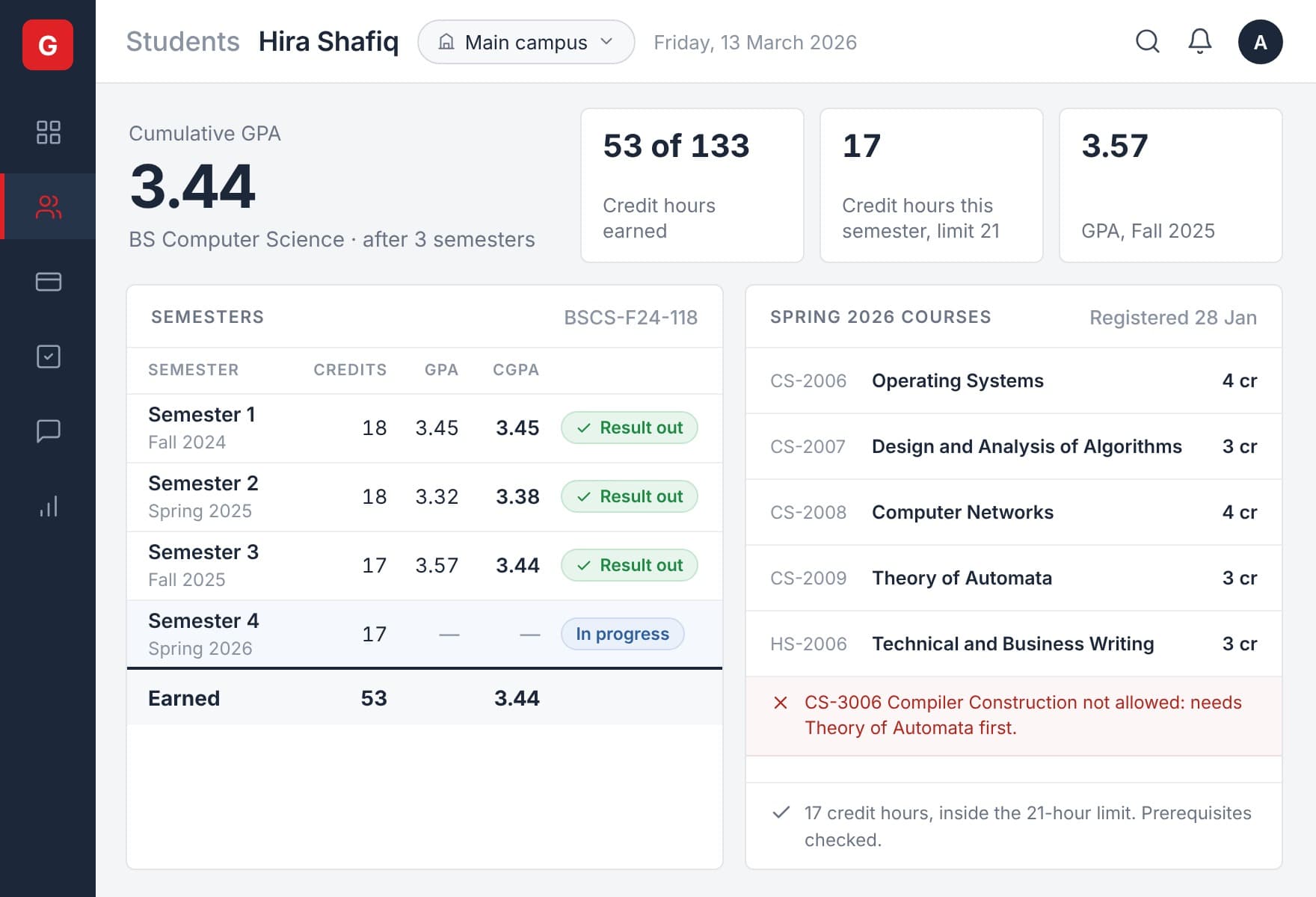
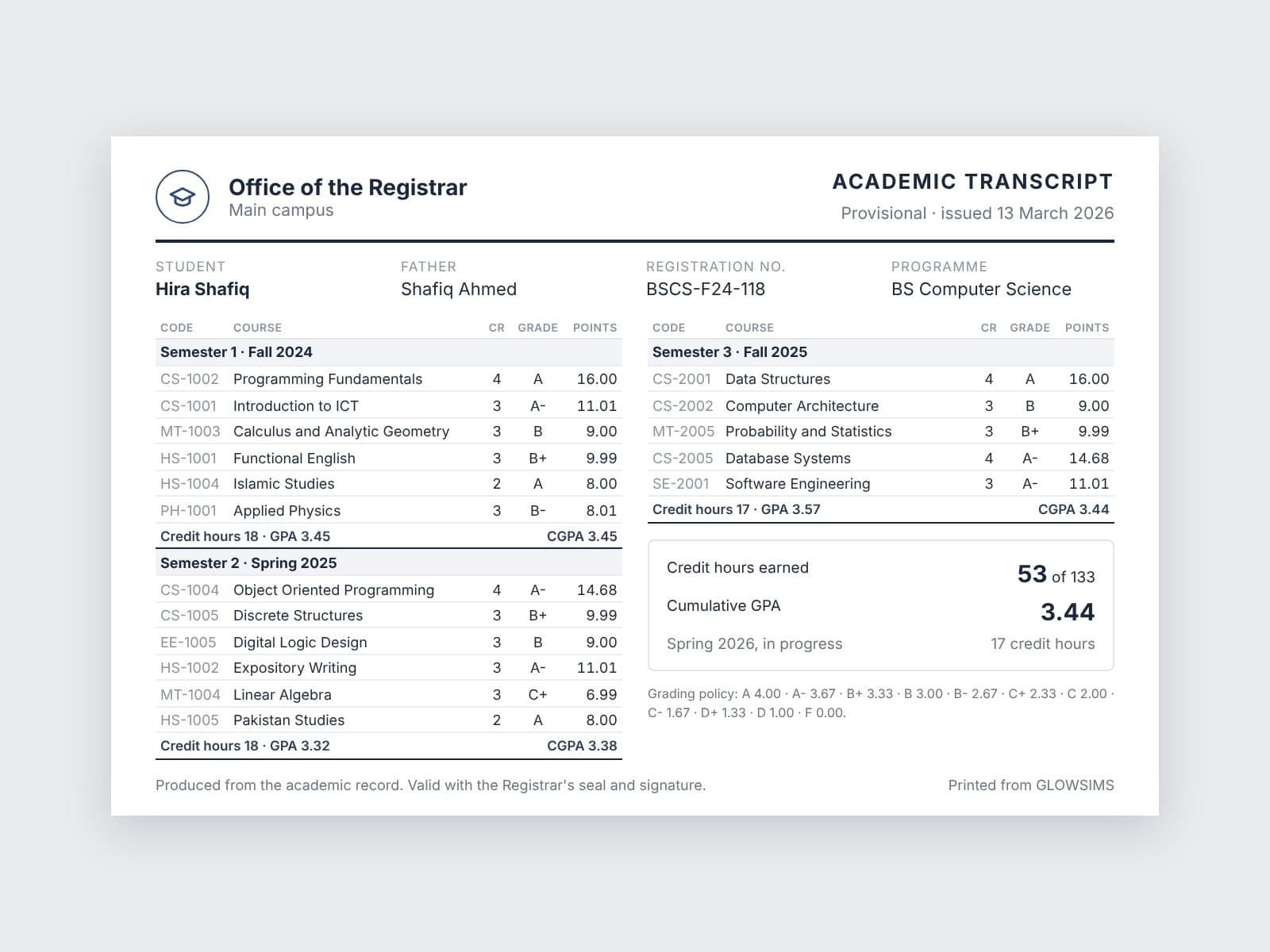
Set up your programmes and semesters, and let students register for their courses each semester within the rules you define. Credit hours, GPA and CGPA are worked out from the marks your faculty enter, and degree transcripts are produced from the same record — so a transcript never has to be put together by hand.
02 · Fees
Fee plans that follow your policy.
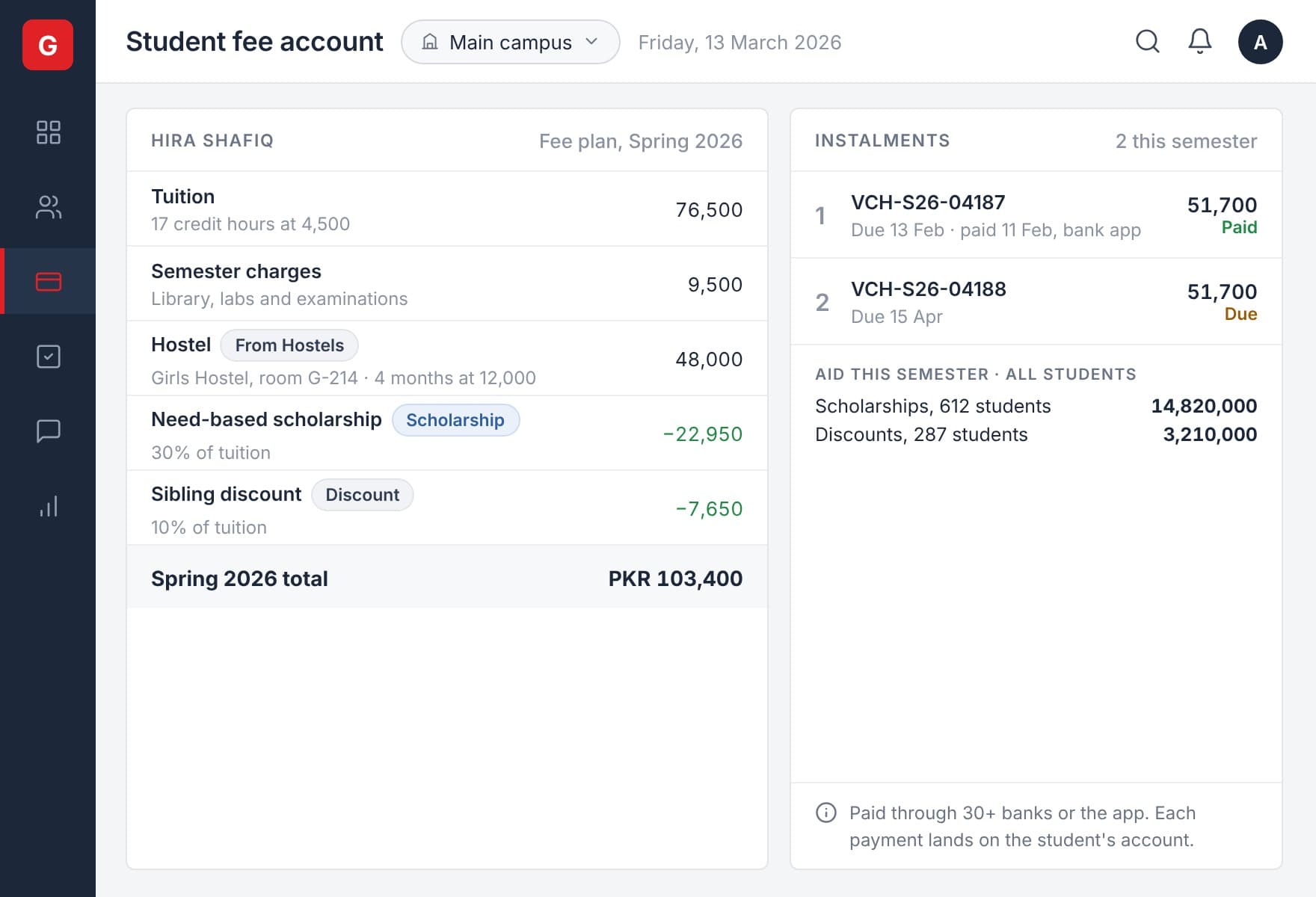
Every student has an account carrying the fee plan your policy sets — by semester, in instalments, with scholarships recorded separately from discounts so you can see the aid you give. Students pay through 30+ banks or from the app, and each payment lands on their account.
03 · Attendance
Attendance by class, for students and staff.
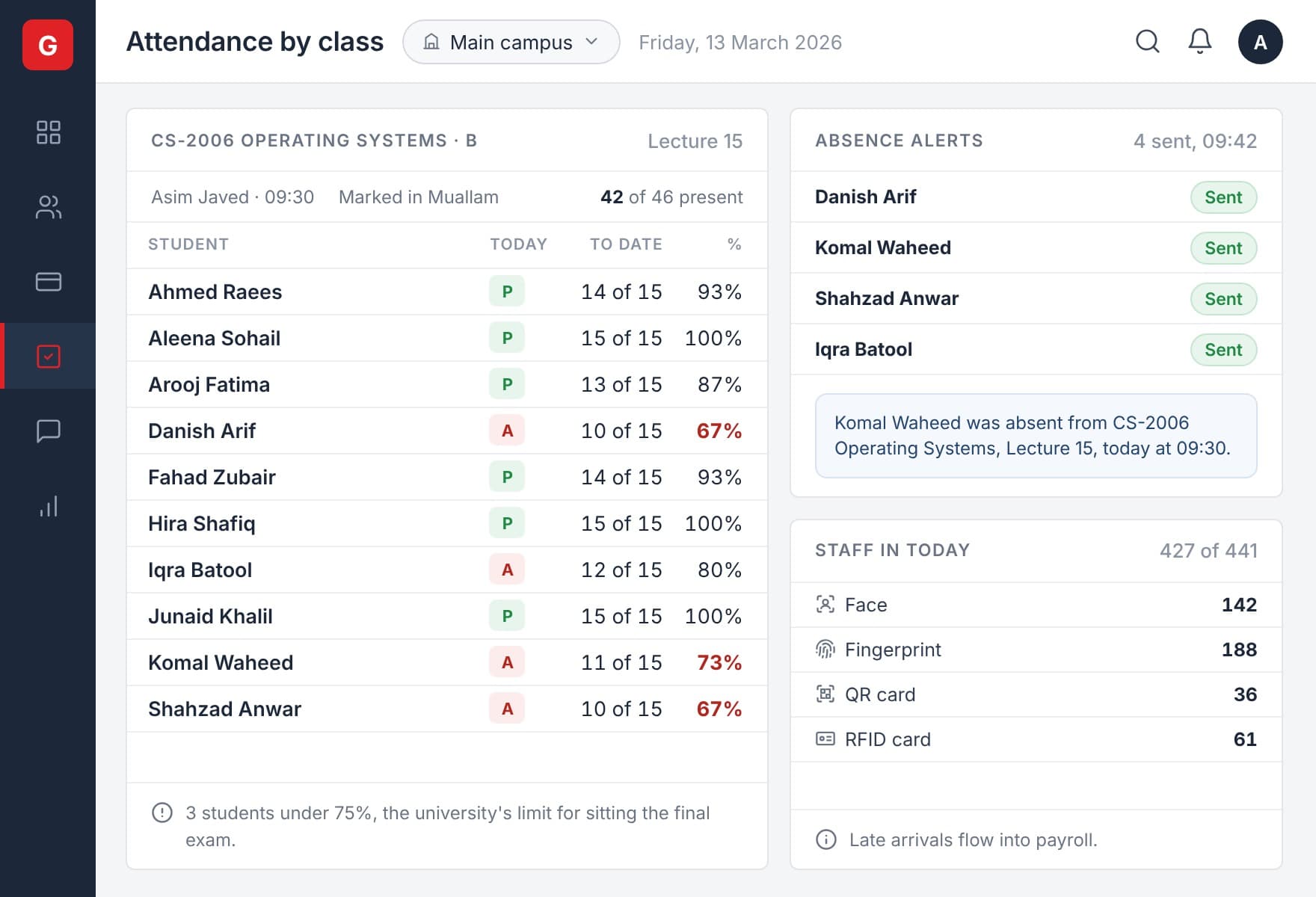
Faculty mark attendance class by class from the Muallam app, and absence alerts name the course. Staff check in by face, fingerprint, QR card or RFID card.
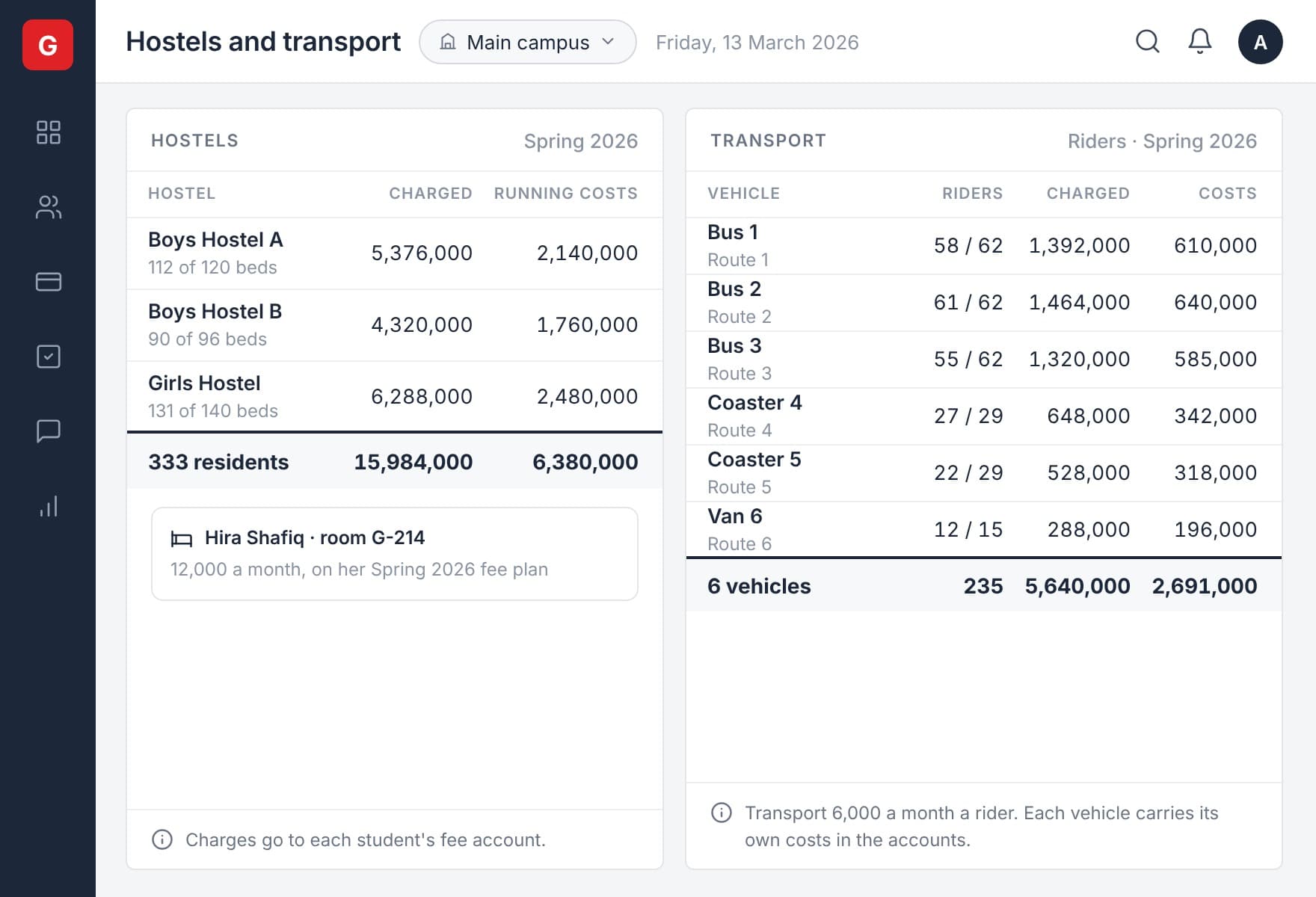
04 · Hostels and transport
Who is in which room, and on which route.
Allocate hostel rooms and transport routes, and link the charges to each student's fee account, so they are billed and collected with everything else. Each hostel and each vehicle carries its own running costs in your accounts.
06 · Finance and campuses
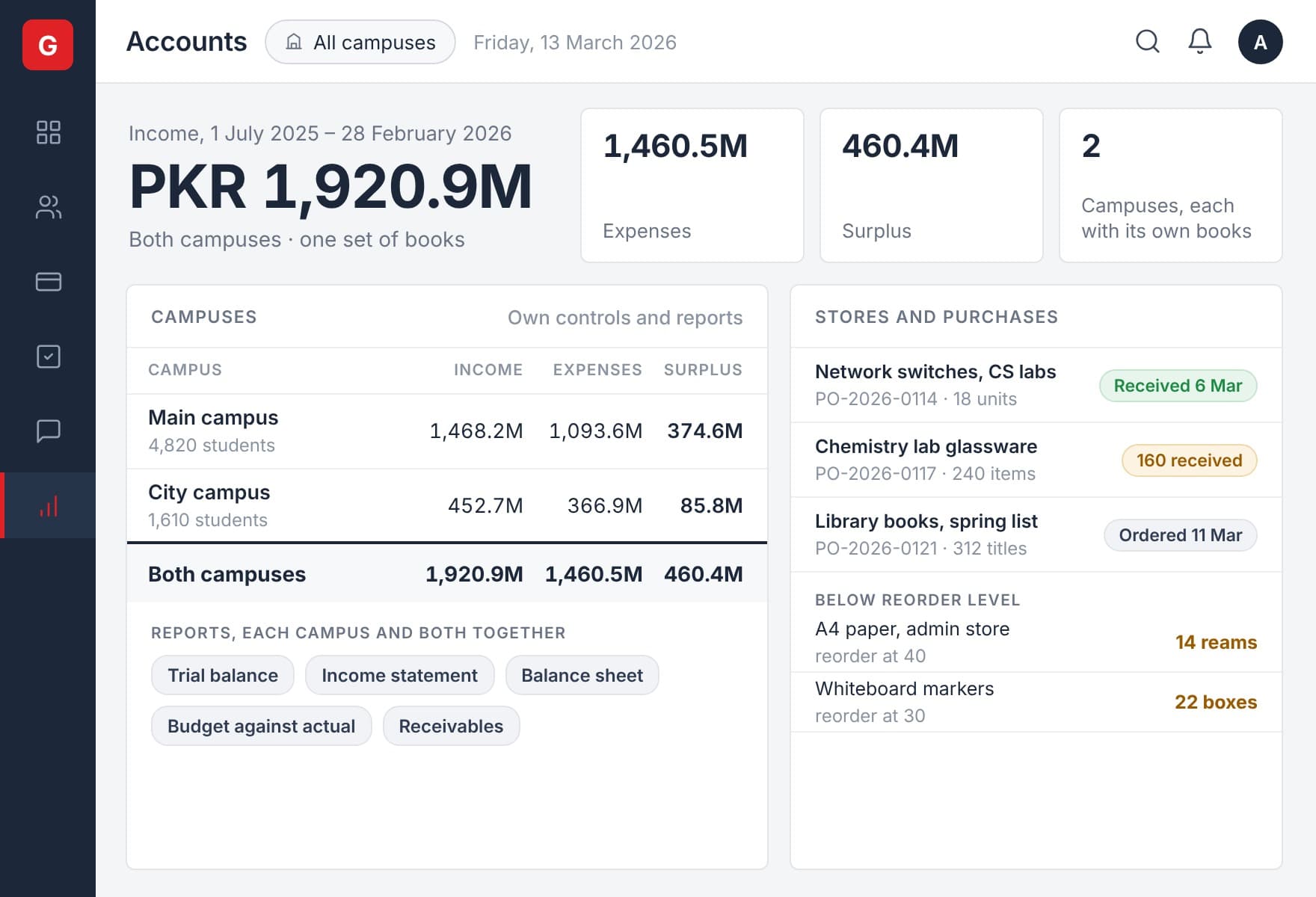
One set of books, every campus in view.
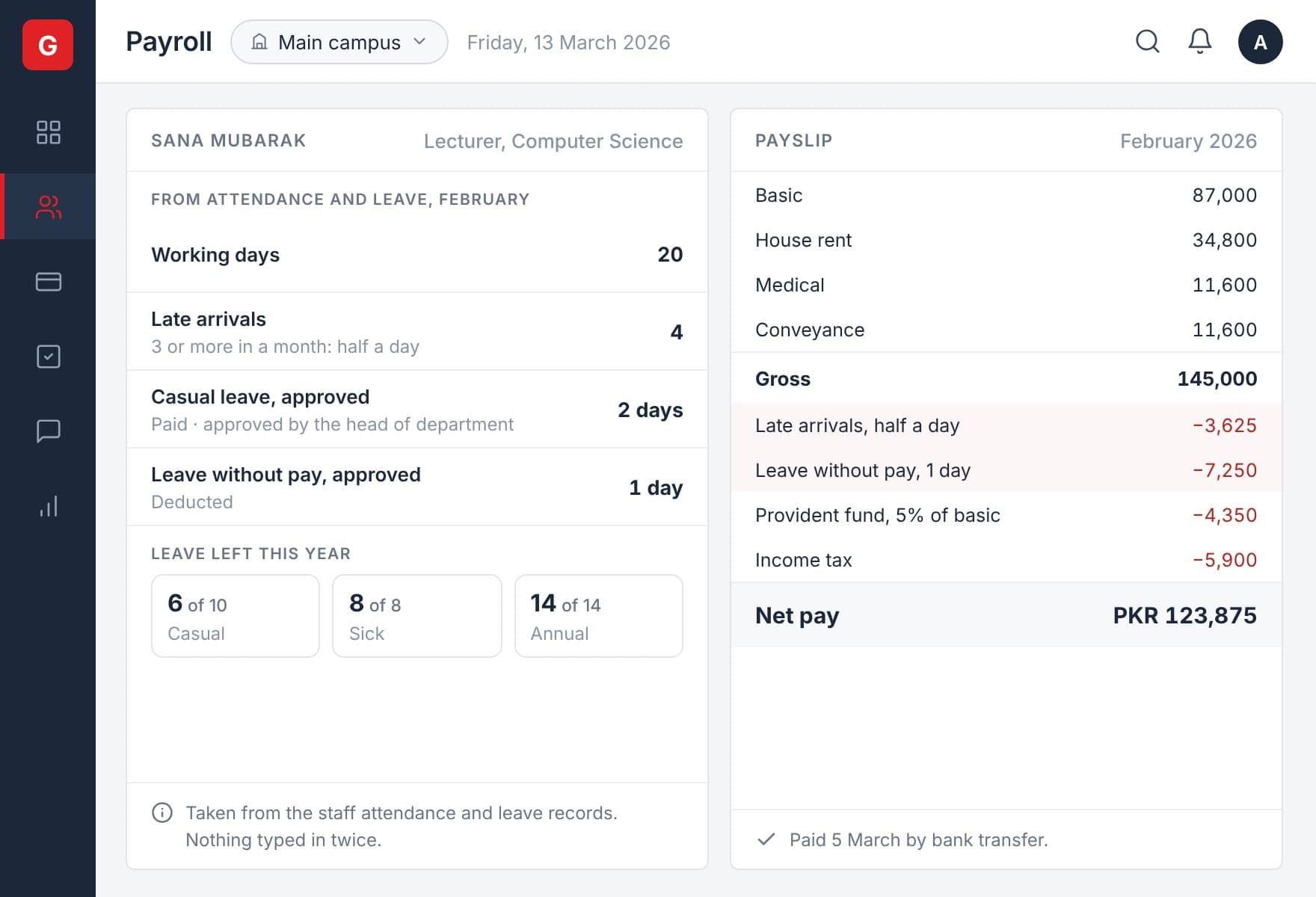
Accounts are kept from the same entries as fees and payroll. Stores, inventory and purchases are recorded in the same place. Run more than one campus? See every campus in one view, while each keeps its own controls and reporting.
07 · Students
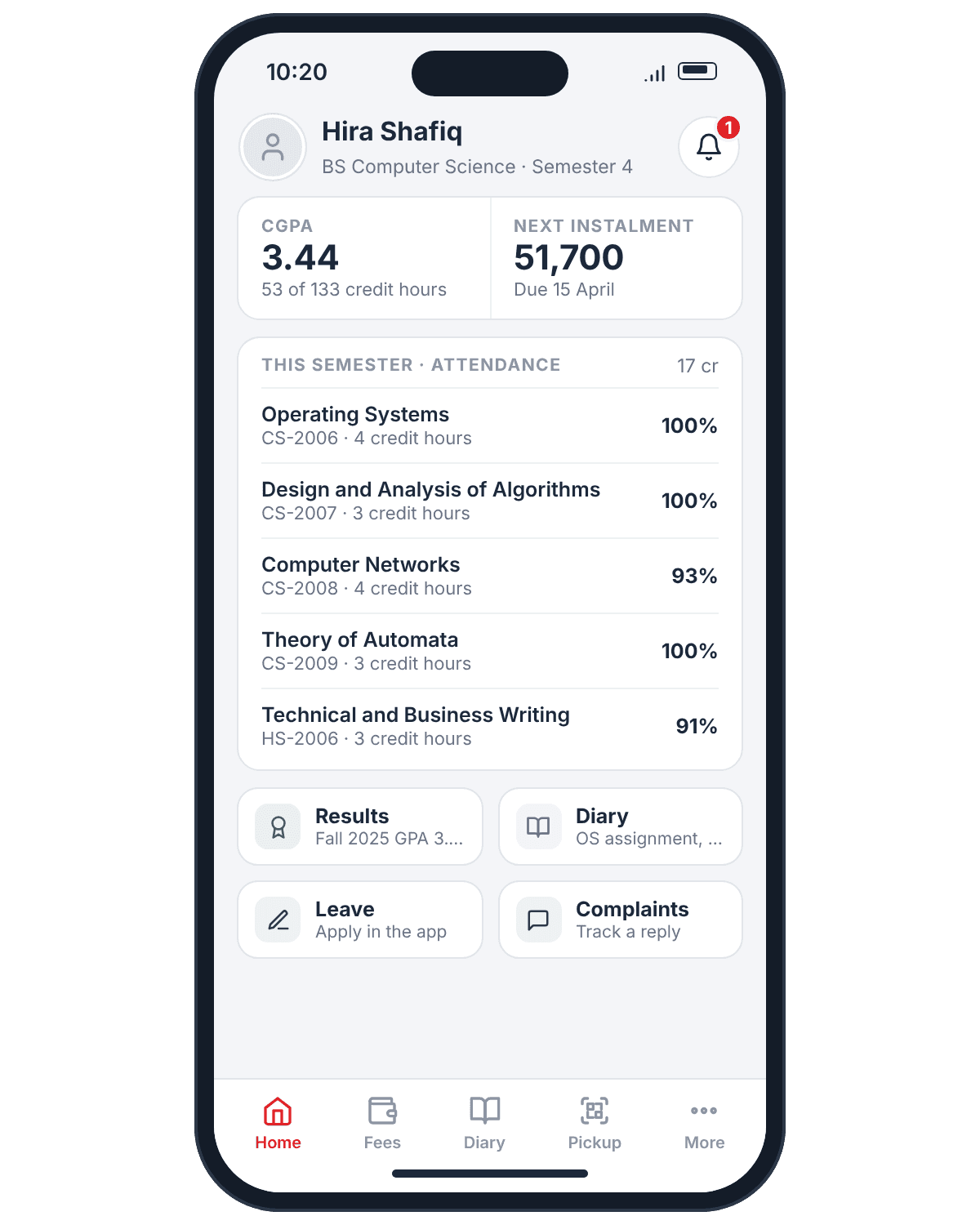
Your students, on their own app.
Students use the Talib app themselves — attendance, results, fee vouchers, leave applications and complaints, all in one place.
Shaped around your university — then live.
We learn your rules.
Programmes and semesters, grading and GPA policy, fee structure, hostels and transport, and how your campuses are organised.
We configure the core.
Most of what a university needs already exists in GLOWSIMS. It is set up to your rules rather than to a template.
We build what is yours alone.
Where your university works differently, we extend the system around it — instead of asking you to change how you work.
We train your teams and go live.
Your office brings across current students, fee balances and staff records. We train each team before day one.
The record behind it
Built and run in Pakistan since 2013.
Made for here
Built for how Pakistani universities actually work.
Not generic software adapted after the fact.
Questions universities ask
Can GLOWSIMS follow our grading and GPA policy?
Yes. GPA and CGPA are worked out to your policy, from the marks your faculty enter. Grading rules are set during configuration, not fixed in advance.
Does it handle credit hours and semester course registration?
Yes. Students register for courses each semester within the rules you set, and credit hours are tracked against each course and programme.
Can it produce degree transcripts?
Yes. Transcripts are produced from the same academic record that holds every result, so nothing is retyped.
Our university works differently from others. Will we have to change our process?
No. GLOWSIMS is configured to your rules, and where your university needs something of its own, we extend the system around it.
Can hostel and transport charges be billed with tuition?
Yes. Hostel and transport charges are linked to each student's fee account and collected with the rest of the fees.
Can students pay online?
Yes. Fees can be paid through 30+ banks or from the app, and each payment shows against the student's account.
We have more than one campus. Can we see them together?
Yes. Every campus is visible in one view, and each keeps its own controls and reporting.
How is GLOWSIMS priced for a university?
On the same plans as every institution, set by campus size. See Pricing.
What do we need to bring to go live?
Your current students, their fee balances and your staff records. We set up your structure and train your teams. Older records stay where they are unless your office chooses to bring them across.